Vespera.
Handmade earrings and necklaces, with a bespoke commission request for custom work.
A suggested idea, edited by hand
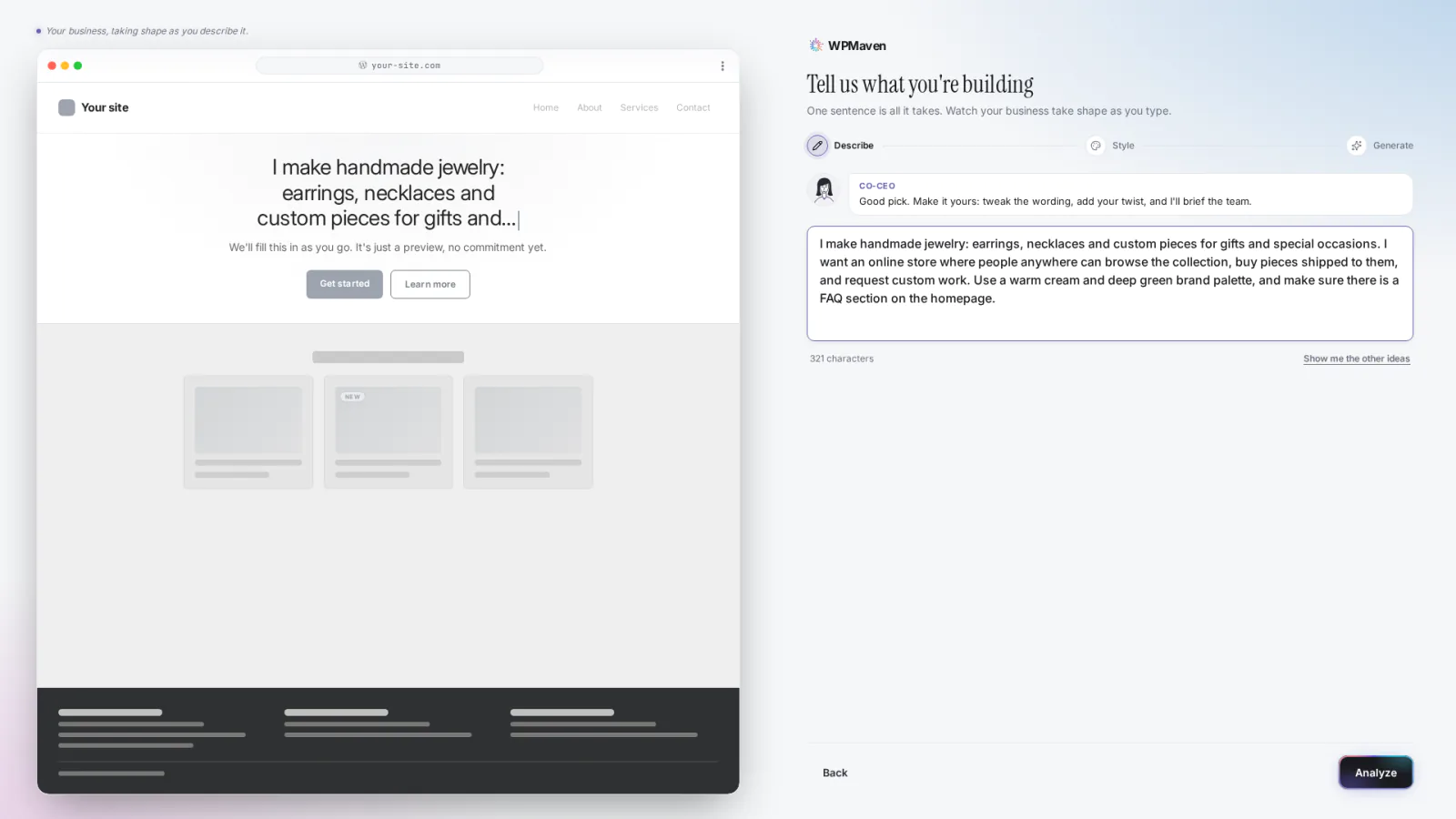
I make handmade jewelry: earrings, necklaces and custom pieces for gifts and special occasions. I want an online store where people anywhere can browse the collection, buy pieces shipped to them, and request custom work. Use a warm cream and deep green brand palette, and make sure there is a FAQ section on the homepage.
The highlighted sentence was added by hand.
The result.
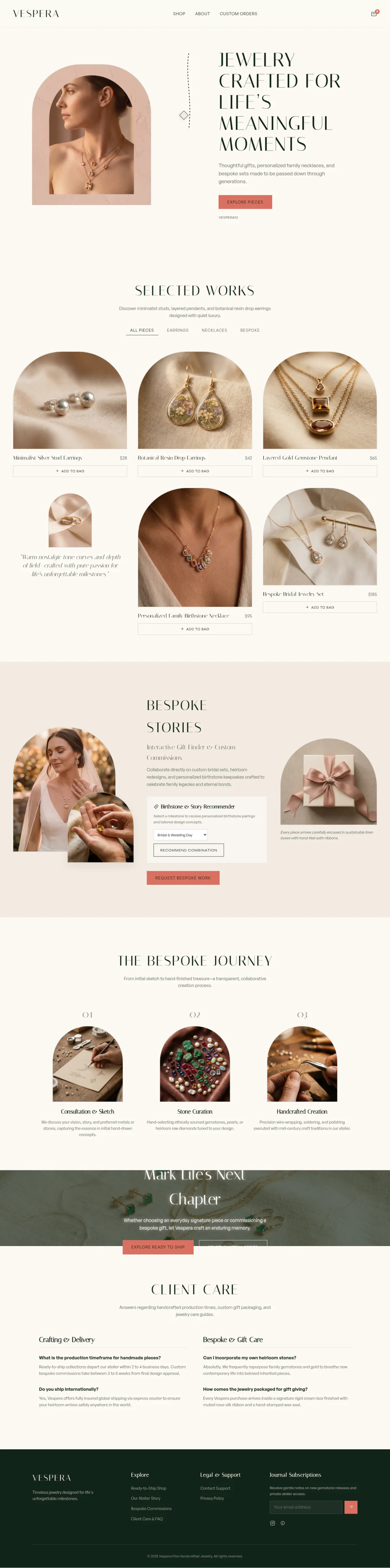
This is the full homepage WPMaven built, top to bottom. Scroll inside the frame, or press Play scroll.
The homepage
The shop page
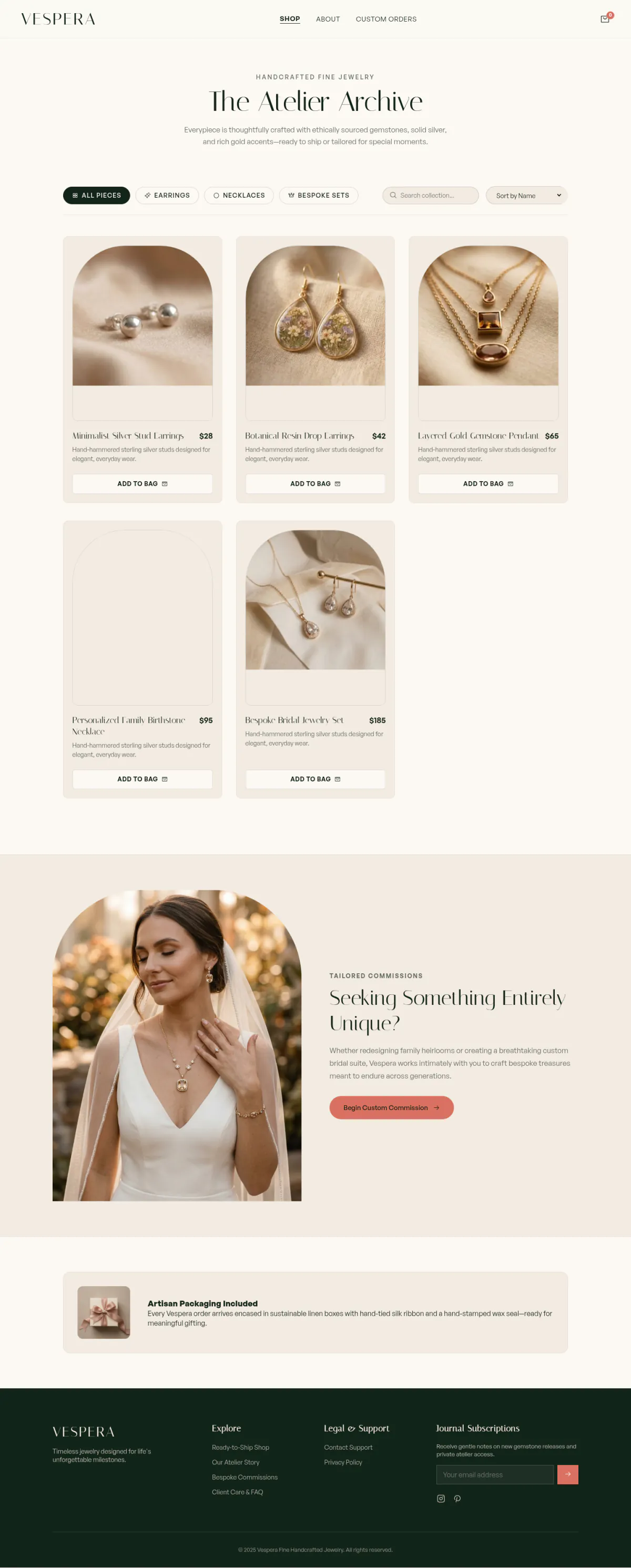
Some images on this site were generated with AI.
How it was built, step by step.
Every screenshot below comes from the real build. Click one to see it larger.
-
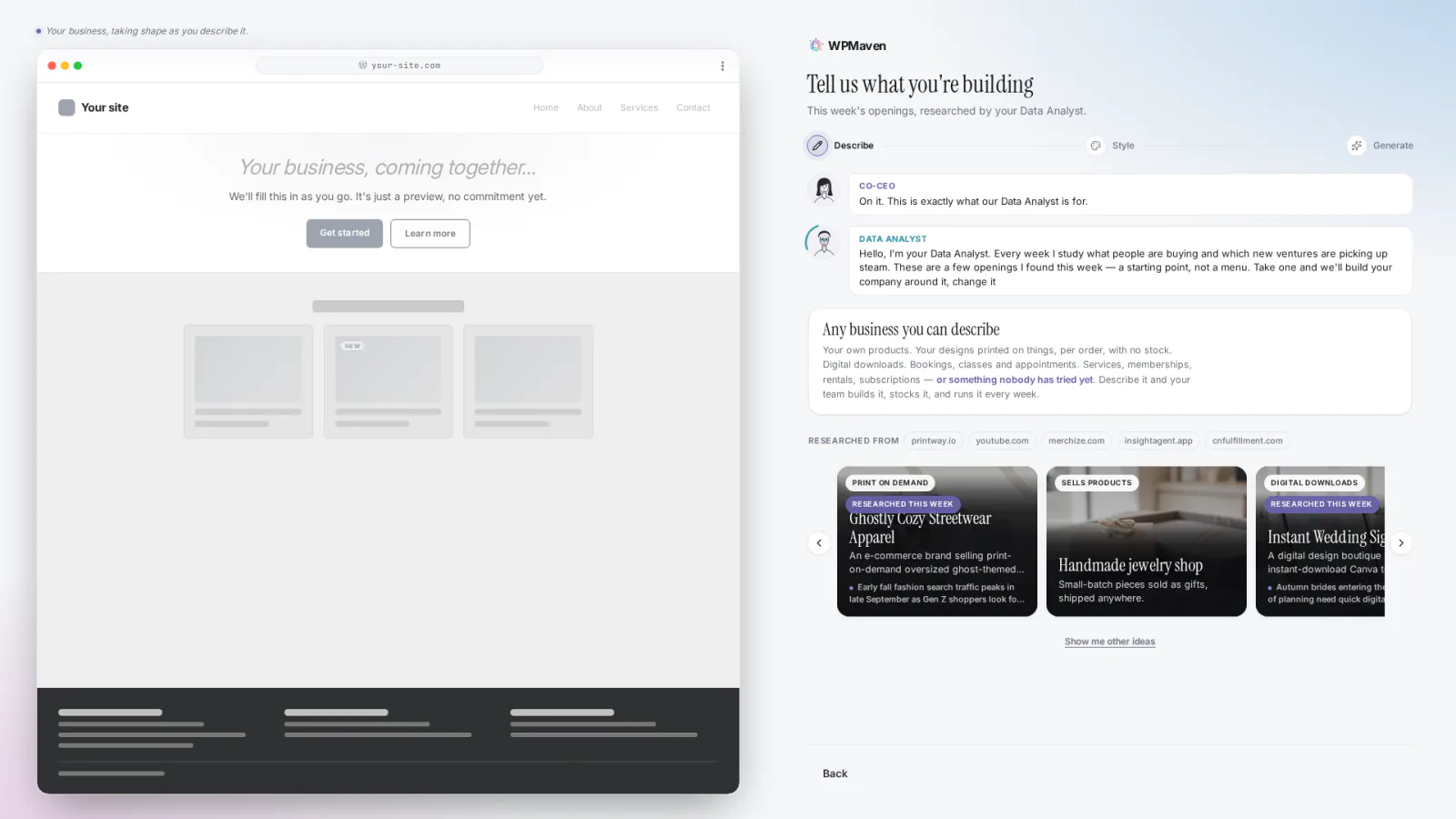
Describe the business
No idea yet? The suggestions screen offers openings to start from. Pick one and the box fills in. Here the picked idea was then edited by hand: the highlighted sentence above asks for a color palette and an FAQ section.
-
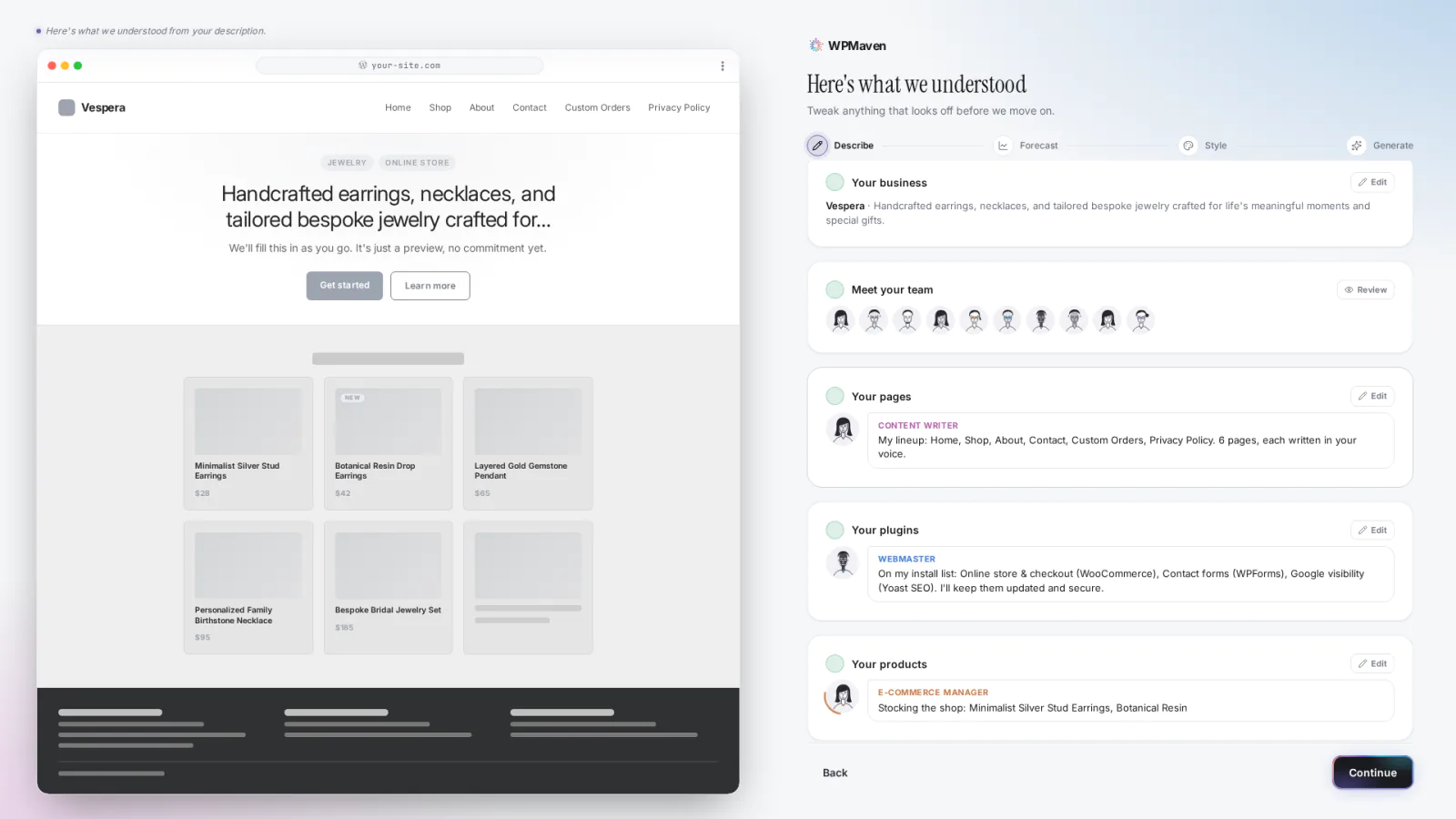
WPMaven reads it back
Before it builds anything, WPMaven reads the sentence back as a plan: the business, the team, the pages, the plugins (the add-ons the site runs on) and the first products. It named the brand Vespera, planned 6 pages (including Custom Orders) and lined up the store plugins. You can tweak anything before the build starts.
-
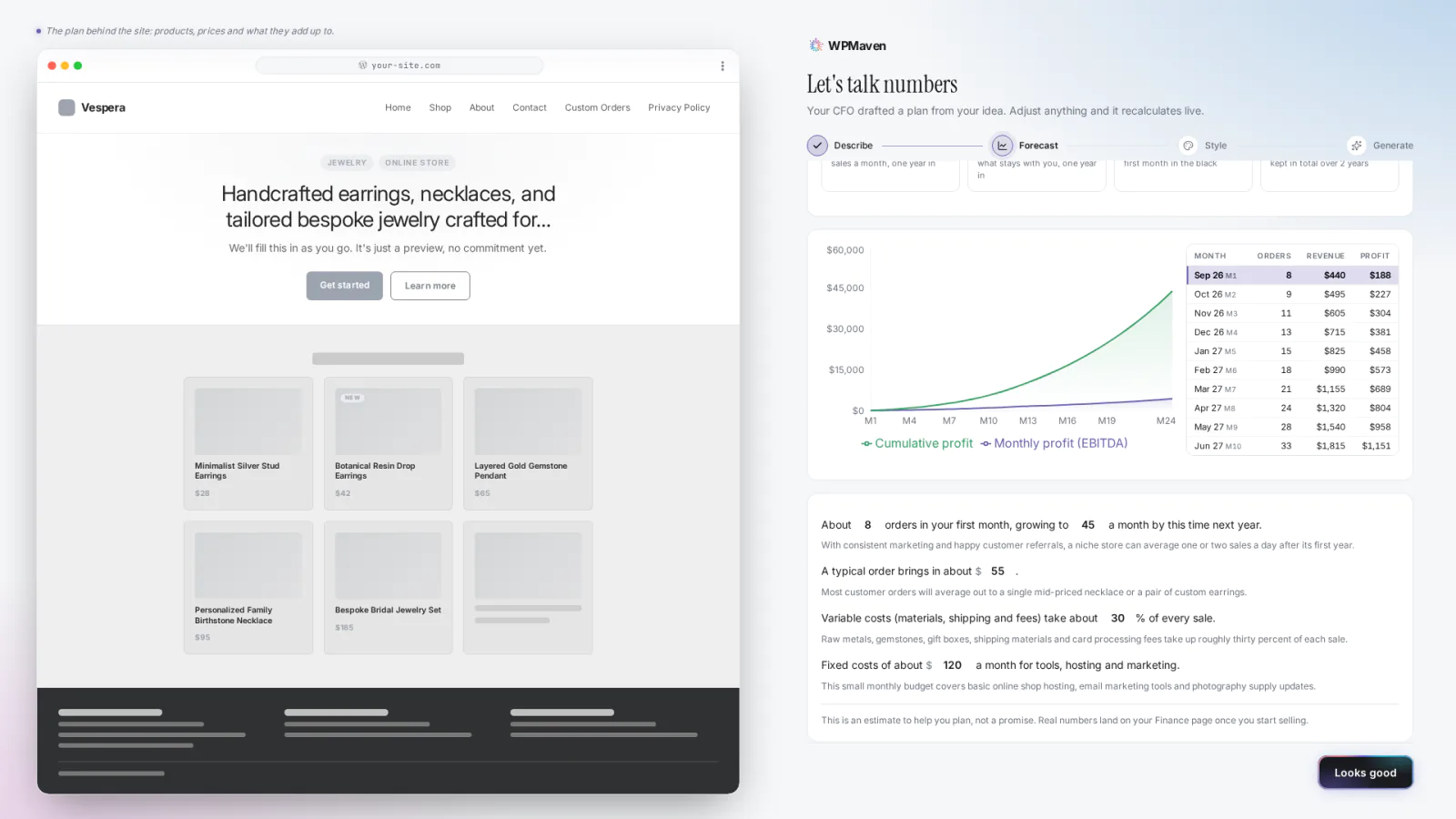
A first-year estimate
WPMaven drafts an estimate from your sentence: how many orders or bookings the first month might bring, how that could grow over a year, the usual size of one and the running costs. The chart carries on to two years. It is an estimate to help you plan, based on assumptions you can change. Once you start selling, your real numbers show next to it on your Home.
-
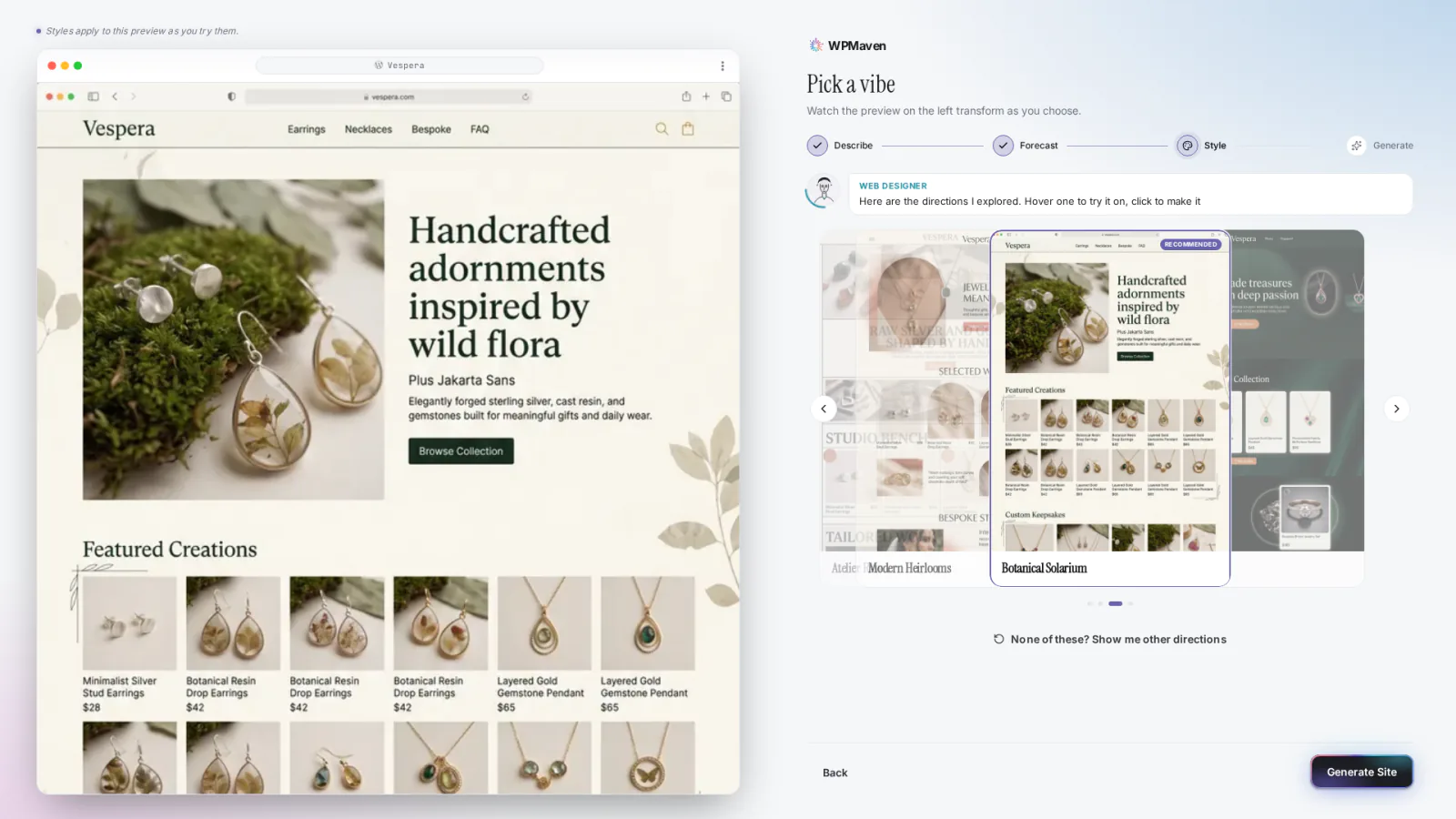
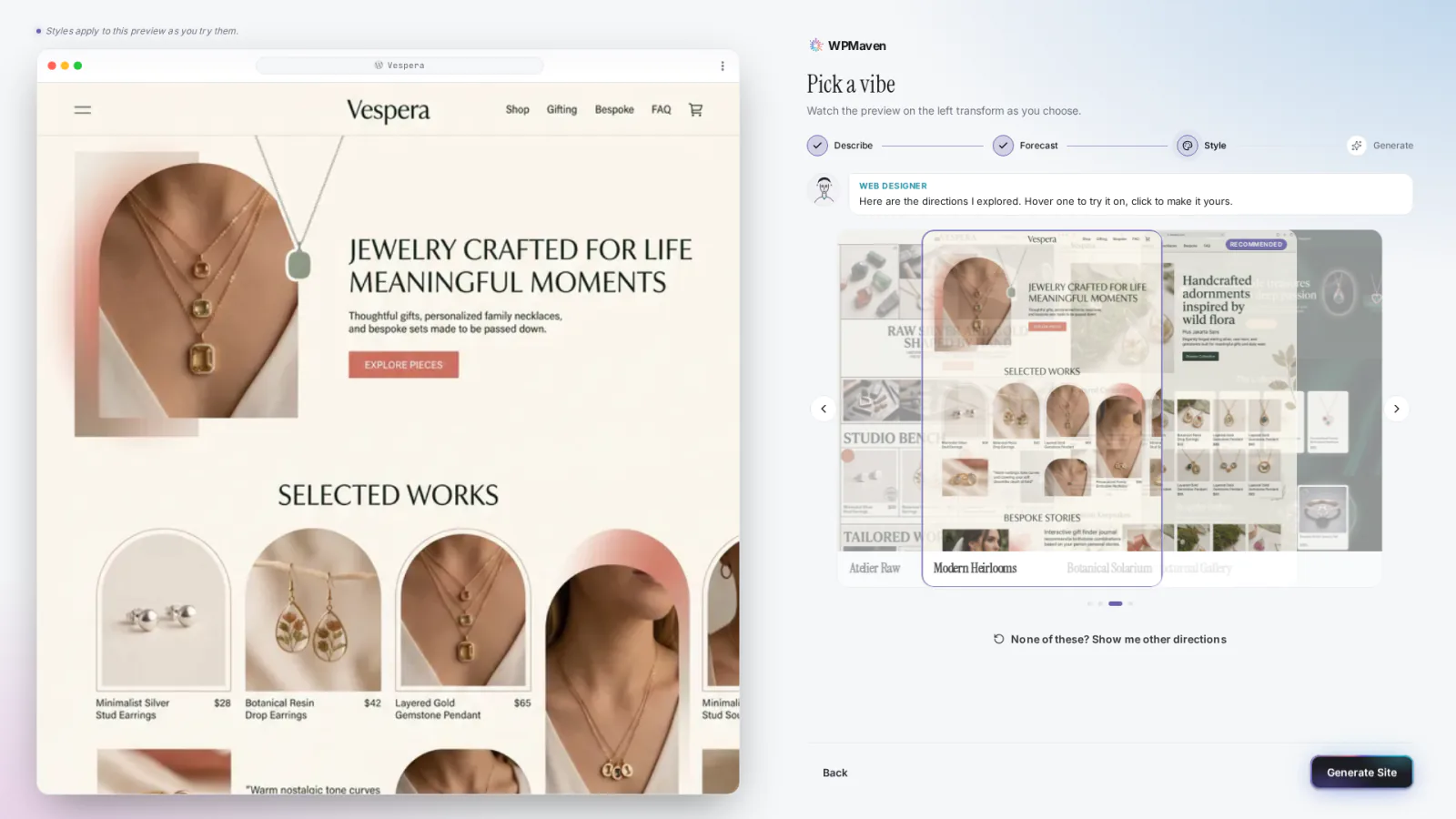
Pick a style
WPMaven explores four style directions and applies each one to the preview on the left as you try it. Hover one to try it on, click to choose it. Here the direction called Modern Heirlooms was picked.
-
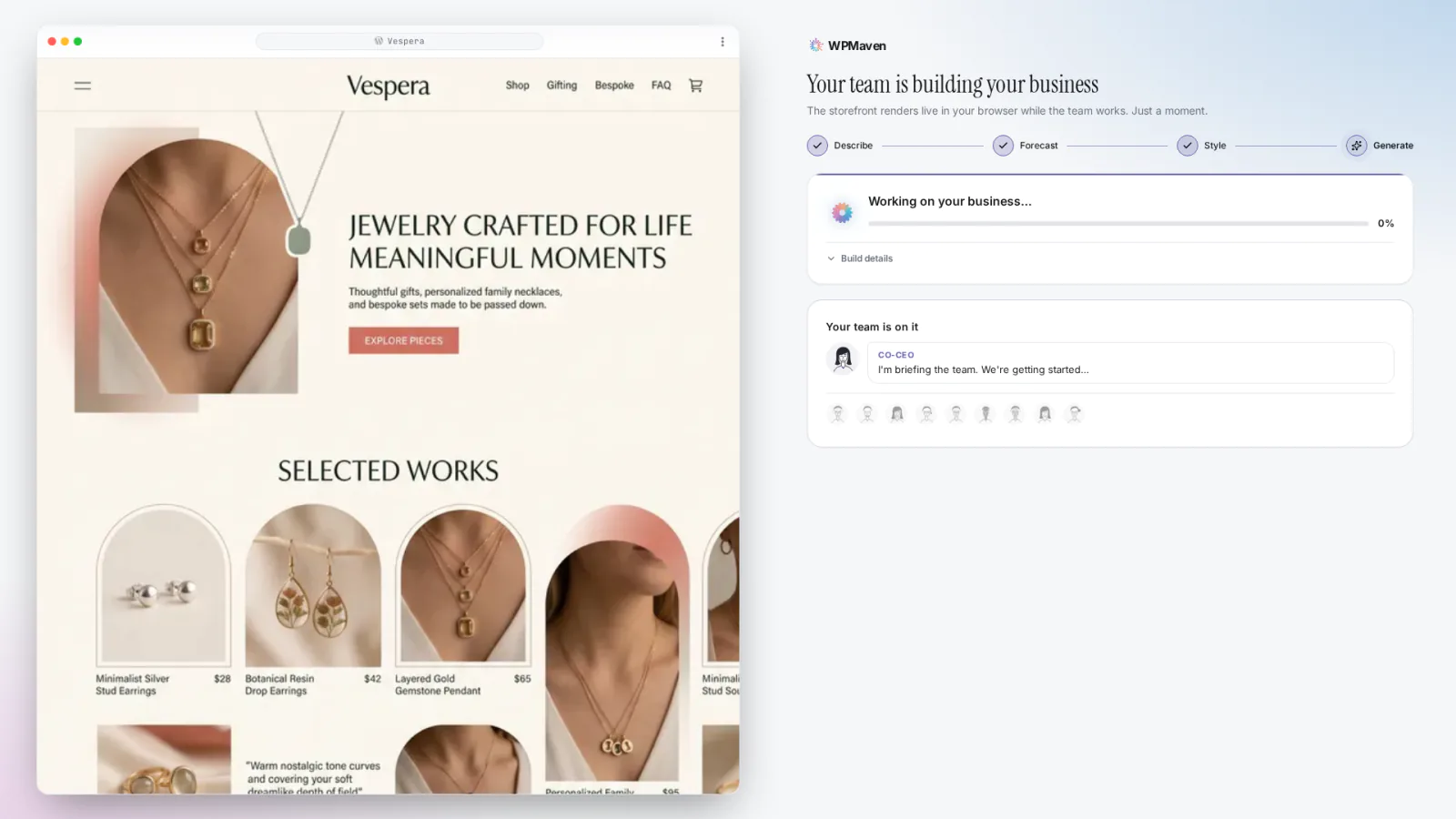
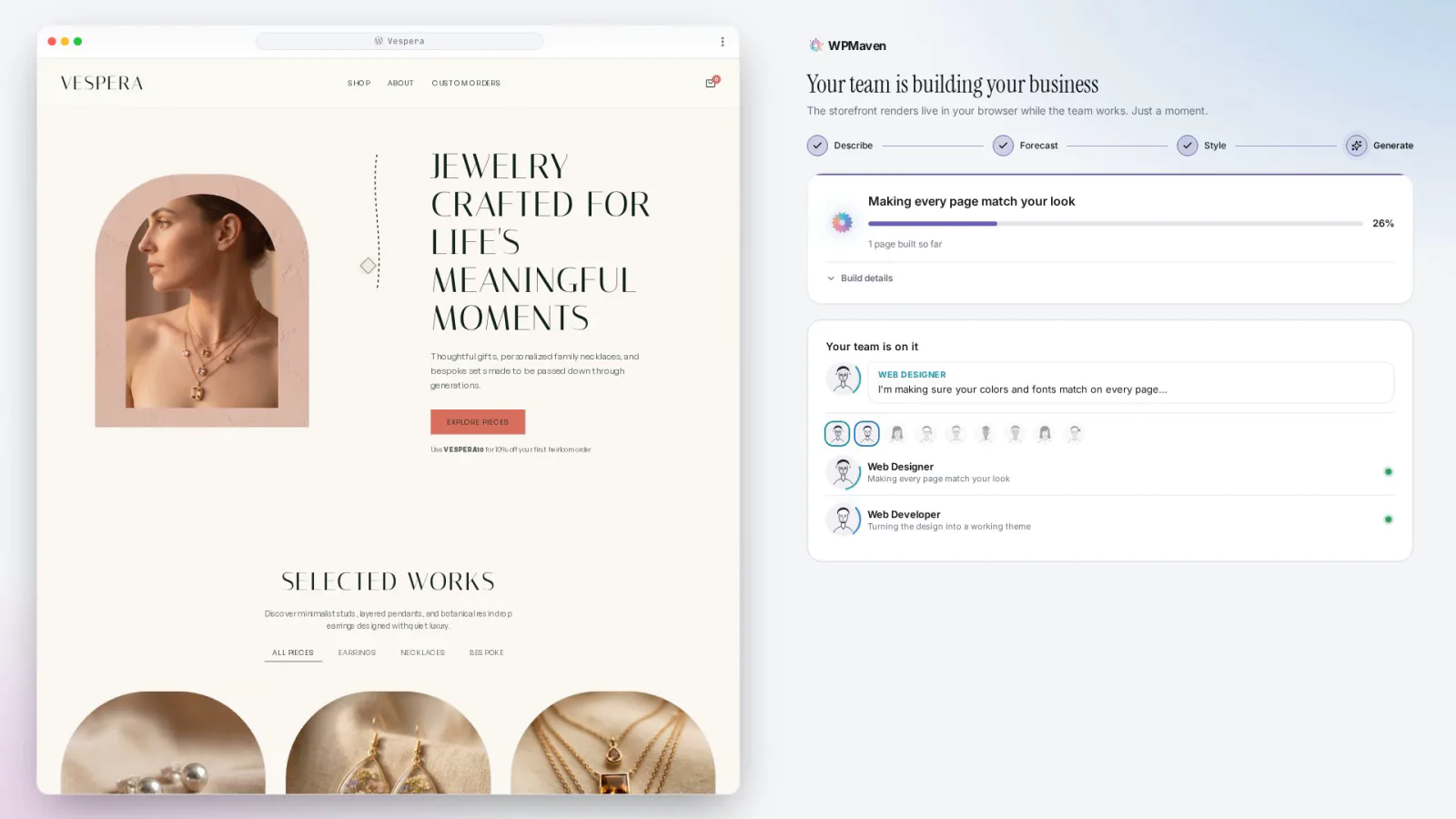
The team builds it
The team builds the site while you watch: the homepage first, then every page, a review of each page and the move into WordPress. The progress card on the right names the current phase.
-
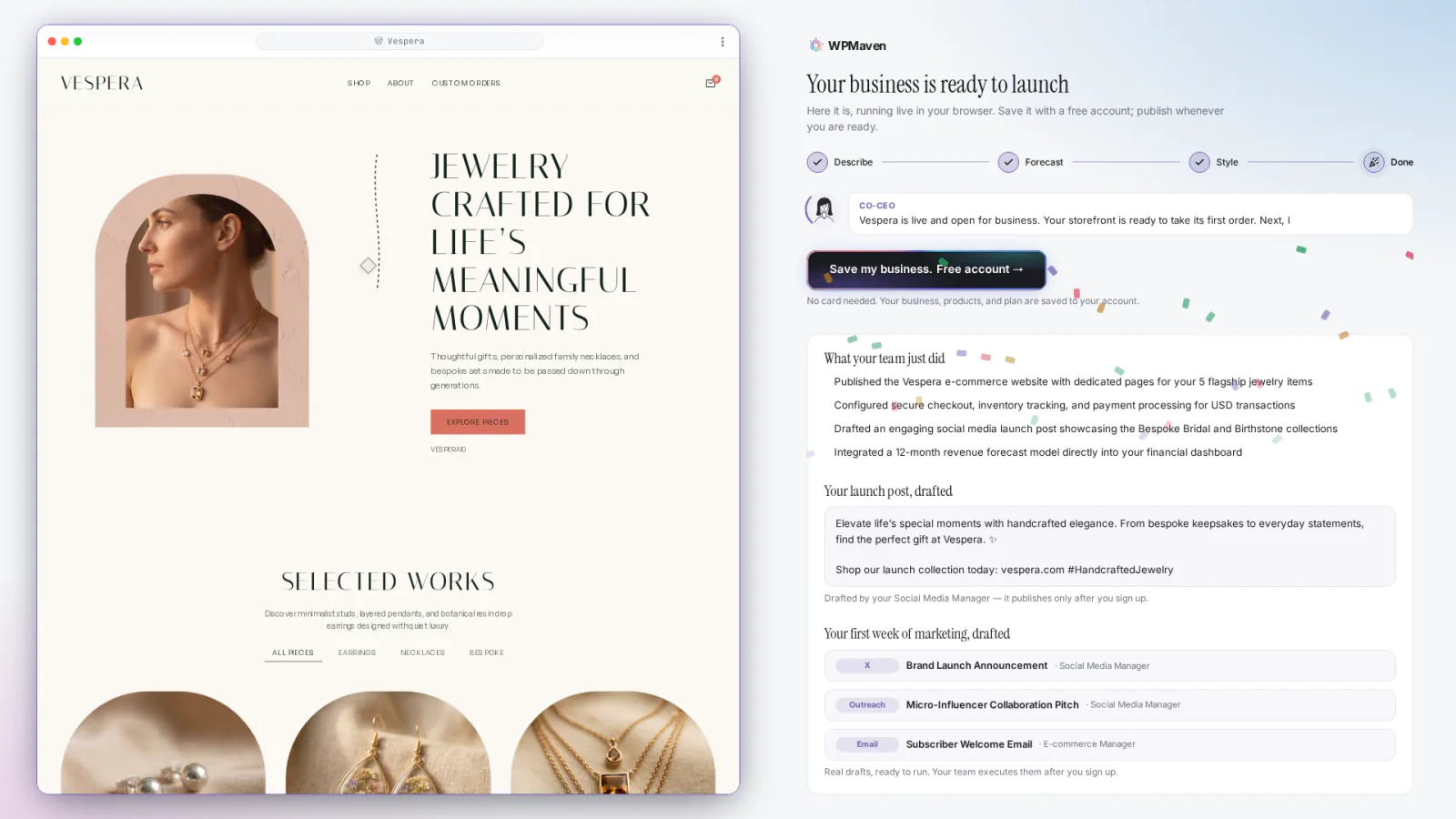
Ready to launch
When the build ends you get the live preview, a list of what the team did, a drafted launch post and a first week of marketing tasks. The launch post and the marketing tasks are drafts: they go out only after you sign up.
Watch it get built.
A timelapse of the real build recording, sped up. It has no sound.
In the video: an idea is picked and goes into the box, WPMaven reads it back, the estimate is drafted, a style is picked, the site takes shape while the team builds it, and the Ready to launch screen appears.
Now build yours.
Describe your own business in a sentence and the team builds it while you watch. Free to build, no card to start.
The box opens with this sentence filled in. Change it to describe your own business.