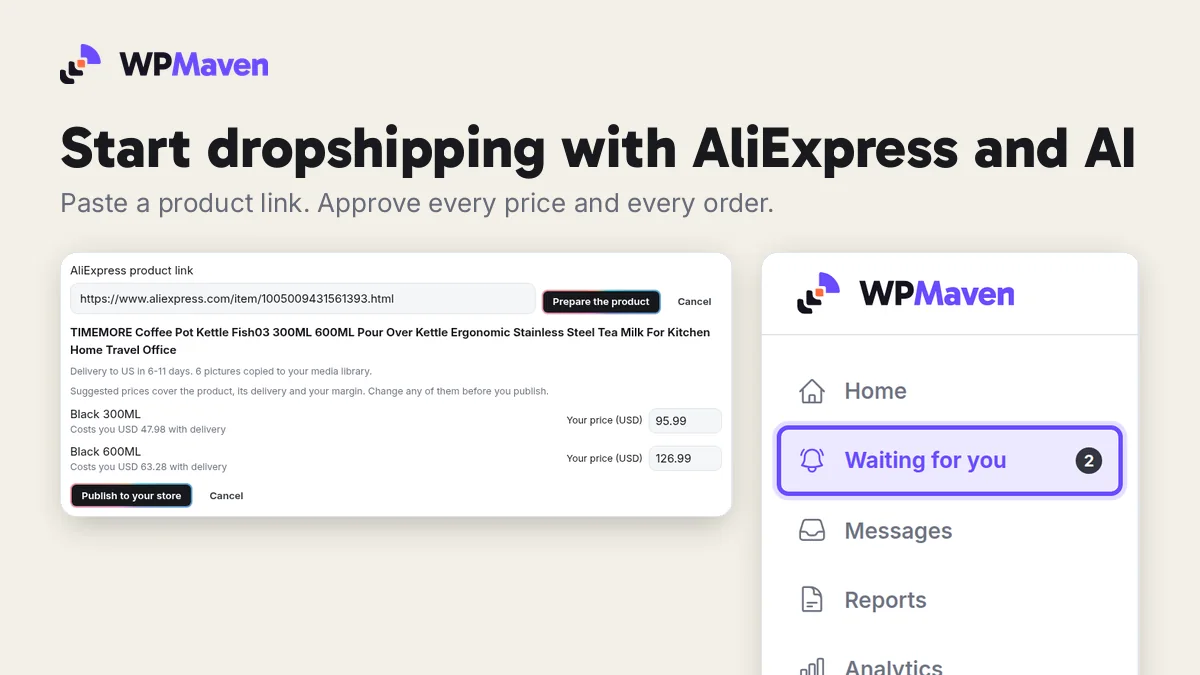
Dropshipping means you sell a product before you buy it. A customer pays you on your own site, you order the item from a supplier, and the supplier sends it straight to your customer. You never hold stock.
AliExpress is where many dropshippers find their suppliers. The hard part was never finding a product. It is everything around it: a site people trust, prices that cover delivery, listings that stay true when a supplier runs out, and orders that reach the supplier with the right address. That is the part WPMaven does with you.
What you need to start
- A sentence about your business. Who you sell to and what you sell. "A shop for coffee lovers in the US: kettles, grinders and brewing gear" is enough.
- An AliExpress account. Your own, free to open. You connect it once, and every supplier order is placed in it.
- A first product link. Any AliExpress product page you would like to sell.
You do not need stock, a designer or any setup skills. Building your business and previewing it is free.
Step 1: Describe your dropshipping business
Open WPMaven and write your business in a sentence or two, in your own words and your own language. Say that you sell products sourced from suppliers, and who your customers are.
WPMaven reads it back as a plan: your business name, its pages, its first products and its prices. Then it shows four designs. Pick one, and your AI team builds the site while you watch, with your brand, your pages and your products in place.
Step 2: Connect your AliExpress account
In your dashboard, open Your team, then Connect, and press Connect AliExpress. AliExpress opens its own sign in page. Sign in with your AliExpress account and allow WPMaven.
Your account stays yours. WPMaven reads products and delivery for you and places the orders you approve, in your name. Payment to the supplier always happens in your own AliExpress account.
Step 3: Add a product from a link
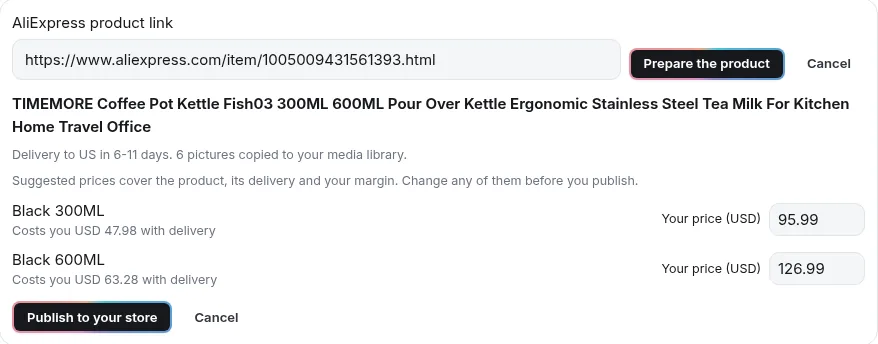
Open Store, then Products, and choose Add from AliExpress. Paste the product link and press Prepare the product.
In about a minute, WPMaven reads:
- the product, its options (colors, sizes, capacities) and its pictures;
- the cheapest delivery to your business's country, and how many days it takes;
- what each option costs you with that delivery, which is the landed cost.
The pictures go to your media library, and the product appears as a preview with a suggested price for every option. Nothing is live yet.
Step 4: Check the price and publish
Each suggested price starts from the landed cost, the product plus its delivery, and multiplies it by a factor that gets smaller as the product gets more expensive:
| Landed cost | Suggested price |
|---|---|
| Under $10 | 3 times the cost |
| $10 to $30 | 2.5 times the cost |
| $30 to $100 | 2 times the cost |
| Over $100 | 1.5 times the cost |
Every price is rounded to end in .99. In a real import on November 16, 2026, a stainless steel kettle cost $47.98 with delivery to the US, in 6 to 11 days, and WPMaven suggested $95.99. Its larger size cost $63.28 and got $126.99.
These are suggestions. Change any price before you publish, and change it again whenever you like. Then publish the product, and it goes live on your site with its pictures, options and prices.
Not sure where to start? Read how to set your first price and how to decide what to sell first.
Have a business in mind?
Describe your dropshipping business in one sentence and watch it get built, free. Then $1 for your first week, one time only.
Build my business freeStep 5: Approve each order
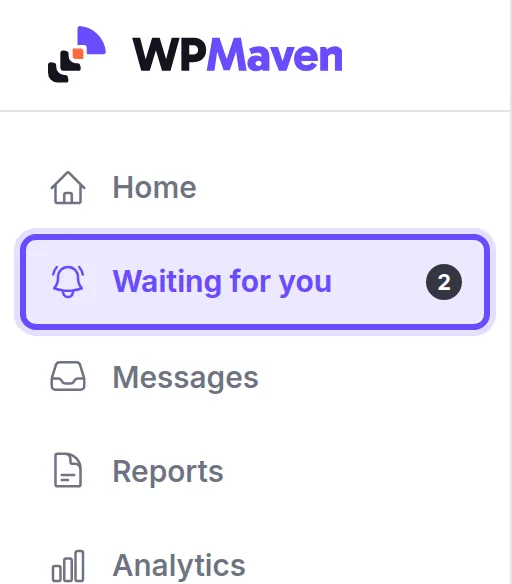
When a customer pays for a product you imported, the money goes to your own account. Then WPMaven prepares the supplier order and asks you first. A card called Place the AliExpress order appears under Waiting for you in your dashboard, and it reaches you on WhatsApp and by email too.
When you say yes:
- The order goes to your AliExpress account, with your customer's delivery address.
- It carries a note asking the supplier to leave prices, invoices and advertising out of the parcel.
- You pay the supplier in AliExpress, as you always would.
- When the supplier ships, the tracking number goes to your site and your customer gets it by email.
If an order stays unpaid in AliExpress, or the supplier closes it without shipping, you are told, so no customer waits in silence. You approve each order yourself, or a team member you gave billing rights does.
What WPMaven checks every day
Suppliers change. Every day, WPMaven reads each imported product again on AliExpress:
- An option sells out at the supplier. It is paused on your site at once, so no customer pays for something the supplier cannot send. When it is back in stock, it is offered again. You are told both times.
- The supplier raises the cost. When the new cost would leave your price too close to it, you get an alert with a suggested new price. Your price never changes by itself: you decide.
- The supplier stops selling the product. The whole product is paused on your site, and you are told.
How much it costs to start
| What | Cost |
|---|---|
| Building your business and previewing it | Free, no card |
| Your first week live | $1, one time only |
| Your AI team after that | From $39 a month |
| An AliExpress account | Free |
| Each product you sell | You pay the supplier after your customer has paid you |
Because you order from the supplier after a sale, you do not buy stock up front. Many dropshippers order one sample of a product first, to see and photograph it before they sell it. See what each plan includes.
How long AliExpress delivery takes
It depends on the product, the supplier and the delivery method. You do not have to guess: before you publish, WPMaven shows the delivery time it found to your business's country, such as 6 to 11 days for the kettle above. Say it on your product page, so customers know when their order arrives.
Your AI team does the rest of the week
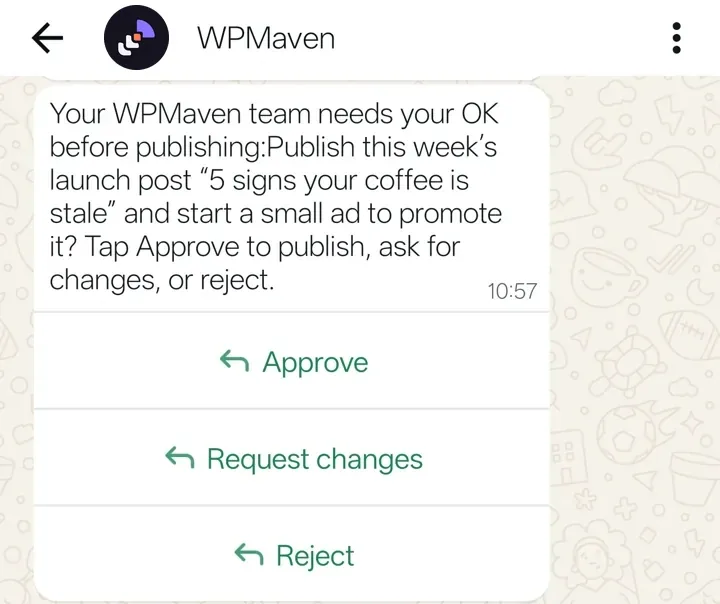
Products are the start. Once your business is live, your AI team plans each week toward a goal: posts for your social accounts, product pages, articles and videos. Each piece waits for your yes, in the dashboard or on WhatsApp, and every Monday a report tells you what sold and what comes next.
See what to approve and what to send back and how to read your weekly numbers honestly.
Questions people ask
Does AliExpress allow dropshipping?
Yes. AliExpress offers a dropshipping connection for apps, and WPMaven's connection is approved and live. You sign in to your own AliExpress account to allow it, and every supplier order is placed in that account.
Do orders go to the supplier automatically?
No. Every supplier order waits for your yes. When you approve it, WPMaven places it in your AliExpress account with your customer's delivery address, and you pay the supplier there.
Who pays the supplier?
You do, in your own AliExpress account, after your customer has paid you. WPMaven never pays a supplier for you and takes nothing from your sales.
How are the suggested prices calculated?
From the landed cost, the product plus its delivery to your country: 3 times the cost under $10, 2.5 times from $10 to $30, 2 times from $30 to $100 and 1.5 times over $100, rounded to end in .99.
Can I change the suggested price?
Yes. Change any price before you publish the product, and change it again whenever you like.
What happens when a product sells out at the supplier?
WPMaven checks every imported product every day. An option that sells out is paused on your site at once and offered again when it is back in stock, and you are told both times.
What if the supplier raises the cost?
When your price would fall under 1.5 times the new landed cost, you get an alert with a suggested new price. Your price never changes by itself: you decide.
How long does AliExpress shipping take?
It depends on the product, the supplier and the delivery method. WPMaven shows the delivery time it found to your business's country before you publish, such as 6 to 11 days to the US for the kettle in this guide.
How much does it cost to start AliExpress dropshipping?
Building your business on WPMaven and previewing it is free. Your first week live is $1, one time only, then your AI team starts from $39 a month. An AliExpress account is free, and you pay a supplier only after your customer has paid you.
Is AliExpress dropshipping worth it?
It can be when the product, the price and the delivery promise fit your customers. Start with one product you understand, price it on its landed cost, show the delivery time on the page, and judge it on your own weekly numbers.
Can I sell my own products too?
Yes. The same business can sell products you make or stock yourself next to the products you import from AliExpress.
How do I start?
Describe your business in a sentence or two at dashboard.wpmaven.ai/create and watch it get built, free. Then connect AliExpress under Your team, Connect, and add your first product from a link.
Start your dropshipping business
Describe your business in one sentence, connect your AliExpress account, and paste your first product link. WPMaven builds the site, prices the product on its landed cost, checks your suppliers every day, and waits for your yes before every order.
Alfonso García Frey
Founder, WPMaven
Have a business in mind?
Describe your business in one sentence, connect AliExpress and add your first product. Watch it get built, free. Then $1 for your first week, one time only.
Build my business free